Note
Go to the end to download the full example code.
Data Smoothing
This example shows how to smooth a dataset.
Load the data
import lumispy as lum

cl1 = lum.data.asymmetric_peak_map()
cl1 = cl1.remove_background(signal_range=(550.0, 620.0), background_type="Offset")
cl1 = cl1.isig[:-3]
cl1.spikes_removal_tool(interactive=False)

cl2 = cl1.deepcopy()
cl3 = cl1.deepcopy()
Display the original data
cl1.inav[0, 0].plot()
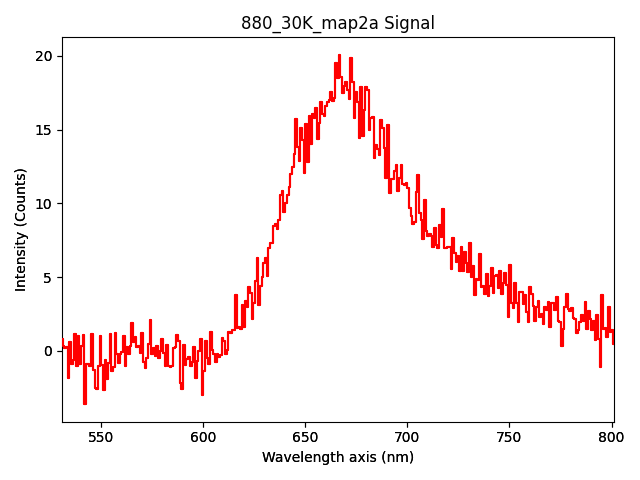
The current dataset is quite noisy.
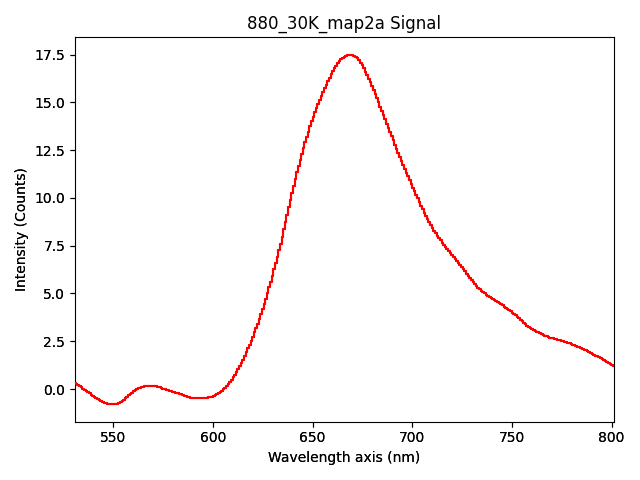
One way to improve that is by smoothing the data using hyperspy.api.signals.Signal1D.smooth_lowess()
(see docstring for detailed explanation of the parameters).
cl1.smooth_lowess(smoothing_parameter=0.1, number_of_iterations=2)

cl1.inav[0, 0].plot()
  0%|          | 0/16 [00:00<?, ?it/s]
  6%|▋         | 1/16 [00:00<00:03,  4.79it/s]
 19%|█▉        | 3/16 [00:00<00:01,  7.58it/s]
 31%|███▏      | 5/16 [00:00<00:01,  8.51it/s]
 38%|███▊      | 6/16 [00:00<00:01,  8.72it/s]
 44%|████▍     | 7/16 [00:00<00:01,  7.10it/s]
 50%|█████     | 8/16 [00:01<00:01,  7.67it/s]
 56%|█████▋    | 9/16 [00:01<00:01,  6.57it/s]
 62%|██████▎   | 10/16 [00:01<00:00,  7.19it/s]
 69%|██████▉   | 11/16 [00:01<00:00,  6.29it/s]
 75%|███████▌  | 12/16 [00:01<00:00,  6.92it/s]
 81%|████████▏ | 13/16 [00:01<00:00,  6.12it/s]
 88%|████████▊ | 14/16 [00:01<00:00,  6.79it/s]
 94%|█████████▍| 15/16 [00:02<00:00,  7.07it/s]
100%|██████████| 16/16 [00:02<00:00,  7.54it/s]
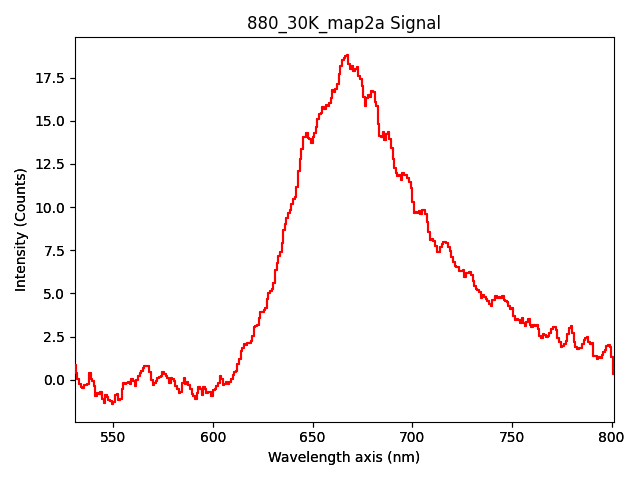
Another algorithm which can be used is hyperspy.api.signals.Signal1D.smooth_savitzky_golay().
This way is often better to maintain the shape of the peaks, but it can be less efficient in removing noise.
cl2.smooth_savitzky_golay(window_length=11, polynomial_order=3)

cl2.inav[0, 0].plot()
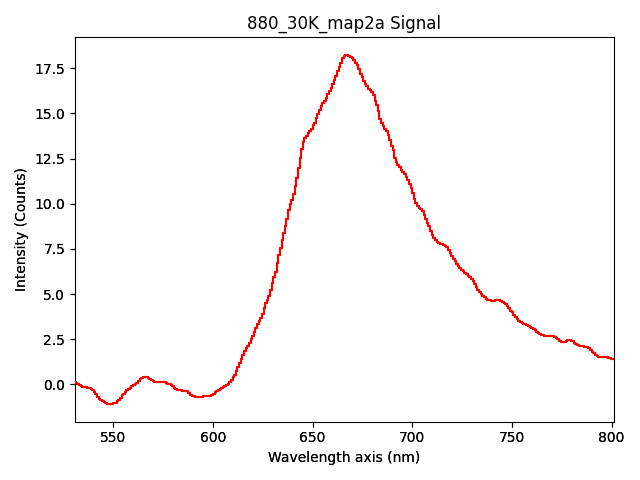
Also hyperspy.api.signals.Signal1D.smooth_tv() can be used.
This method is very efficient in removing noise while preserving the edges of the peaks.
cl3.smooth_tv(smoothing_parameter=10.0)

cl3.inav[0, 0].plot()
  0%|          | 0/16 [00:00<?, ?it/s]
 44%|████▍     | 7/16 [00:00<00:00, 60.60it/s]
 88%|████████▊ | 14/16 [00:00<00:00, 57.05it/s]
100%|██████████| 16/16 [00:00<00:00, 60.96it/s]
To evaluate optimum parameters, each of the algorithms is run interactively if at least one parameter is missing in the function call and thus the result of the smoothing can be directly previewed while adapting the parameters.
Total running time of the script: (0 minutes 14.014 seconds)